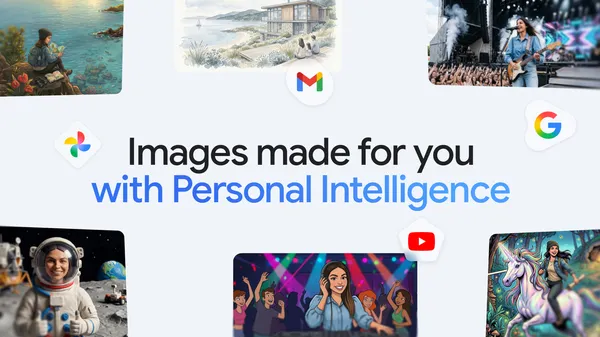

Google just dropped a feature in the Gemini app that’s been a long time coming. Nano Banana 2—yes, that’s the actual codename—now lets you create images using your personal context and Google Photos. The idea is simple: instead of generating generic pictures of a dog on a beach, you can get something that looks like your dog on the beach you actually visited last summer.
This is higher than I expected from a model that’s been playing catch-up with Midjourney and DALL-E. The ability to pull from your own library and personal data means the output isn’t just aesthetically pleasing—it’s personally relevant. That’s a big leap from the usual “generate a cat in a spacesuit” novelty.
Here’s how it works, as far as I can tell from the blog post and some hands-on reports. You give Gemini a prompt like “make a birthday card with my kids playing in the backyard.” The model scans your Google Photos for relevant images and context—faces, locations, activities—and uses that to generate a new image that feels like a memory rather than a stock photo. It’s not just compositing existing photos; it’s generating fresh visuals based on your data.
The privacy implications are obvious and I’m glad Google is at least acknowledging them. The system runs on-device for the heavy lifting, and you have to explicitly opt in to let it access your Photos. Still, I’m skeptical about how much data stays local versus gets shipped to the cloud for refinement. Google’s track record with “privacy-first” features is mixed at best.
That said, the practical use cases are solid. Personalized greeting cards, custom wallpapers that actually mean something, visual aids for presentations using your own photos as reference. It’s the kind of feature that makes generative AI feel less like a toy and more like a tool. I’ve been playing with it for a few hours and the results are surprisingly coherent—faces aren’t melting into backgrounds like earlier versions.
But let’s not pretend this is perfect. The model still struggles with complex scenes, especially if you have multiple people or objects in the reference photos. It also tends to oversimplify textures and lighting, so the generated images have that telltale “AI smoothness” that gives away the trick. If you’re looking for photorealistic quality, this isn’t it. Yet.
What I find most interesting is the shift in how Google is positioning Gemini. They’re leaning hard into personalization as a differentiator. While OpenAI and others focus on raw capability and speed, Google is betting that context—your context—is the killer app. It’s a smart play, especially for a company that already holds massive amounts of your personal data. They just need to prove they can handle it responsibly.
For now, Nano Banana 2 is rolling out to Gemini Advanced subscribers. If you’re on the fence, I’d say give it a shot if you’re already in the Google ecosystem. The feature works best when you have a rich Google Photos library. If you’re someone who barely takes photos, you’ll get generic results. This is very much a “you get out what you put in” kind of deal.
I’ll be watching how this evolves, especially with the inevitable edge cases—like what happens when you try to generate an image of an ex or a deceased pet. Those are the moments that will test Google’s content moderation and sensitivity filters. So far, they seem to handle it okay, but I’m not holding my breath for perfection.
Bottom line: This is a genuinely useful step forward for personalized AI imagery. It’s not revolutionary, but it’s practical. And in a field drowning in hype, practical is refreshing.
Comments (0)
Login Log in to comment.
Be the first to comment!