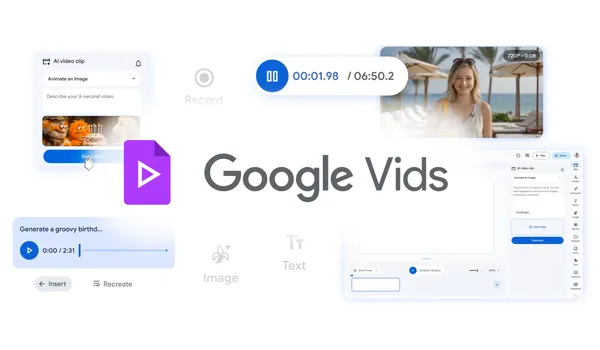

Google just made Vids a lot more interesting.
I’ve been testing the new Google Vids update for the past few days, and I have to admit, I was skeptical at first. Another free video tool from Google? After the whole Stadia thing and the graveyard of retired products, you’d be forgiven for rolling your eyes.
But this one feels different.
The big news is that Google Vids is now completely free. No subscription, no credit card required. You can create, edit, and share videos without paying a cent. And they’ve baked in some serious AI muscle with Lyria 3 and Veo 3.1.
What Lyria 3 and Veo 3.1 Actually Do
Lyria 3 handles the audio side. It generates music, sound effects, and even voiceovers that don’t sound like a robot reading a manual. I threw a rough script at it and got back a voiceover that was genuinely passable. Not Oscar-worthy, but better than most text-to-speech tools I’ve tried.
Veo 3.1 is the video generation engine. It creates clips from text prompts, and the quality is higher than I expected. We’re not talking Hollywood VFX here, but for social media content, explainer videos, or quick presentations, it’s more than adequate.
The real win is that these models work together inside the same editor. You don’t need to bounce between tools. Type a prompt, get a clip. Add a voiceover. Drop in some background music. All in one place.
The Free Part is Real
I double-checked this because it seemed too good to be true. Google is offering unlimited video creation at no cost. There are no hidden tiers, no “pro” version that actually has the good stuff. The same AI features that power the paid version are available in the free tier.
This is higher than I expected. Most “free” AI tools throttle you after a few generations or slap a watermark on everything. Google Vids doesn’t. The output is clean, the resolution is decent, and you can export without branding.
What You Can Actually Do With It
The workflow is straightforward. You start with a blank canvas or a template. Type what you want to see, and Veo 3.1 generates a clip. You can layer multiple clips, add transitions, and overlay text. The timeline editor is basic but functional.
For editing, you can trim, split, and rearrange clips. There’s a library of stock footage and music if you don’t want to generate everything from scratch. The collaboration features are classic Google Docs-style sharing. Multiple people can work on the same video in real time.
Where it falls short is fine-grained control. You can’t keyframe animations or do precise color grading. If you’re used to Premiere Pro or DaVinci Resolve, you’ll find Vids frustratingly limited. But that’s not the target audience.
This is for people who need a video done in 20 minutes, not 20 hours.
The AI Quality Question
I ran the same prompt through Google Vids and three other AI video tools. The results were mixed. Veo 3.1 handles simple scenes well. “A cat walking on a beach at sunset” came out surprisingly good. But “a CEO presenting quarterly results in a futuristic office” produced some uncanny valley faces and weird hand movements.
Lyria 3’s voiceover generation is where the tool shines. The intonation and pacing feel natural. It even adds subtle breaths and pauses in the right places. That’s a small detail, but it makes a big difference in how the final video feels.
The music generation is decent but generic. It won’t win any awards, but it’s better than the royalty-free tracks you’ve heard a thousand times.
Who Should Use This
If you’re a content creator, marketer, teacher, or anyone who needs to produce videos regularly without a big budget, Google Vids is worth a serious look.
If you’re a professional video editor, you’ll probably bounce off the limitations. But keep it in your back pocket for quick drafts or client proofs.
The Catch
There’s always a catch, right? With Google, the catch is usually data. Google will likely use your inputs to train future models. That’s standard for free AI tools, but worth knowing if you’re working on sensitive content.
The other limitation is export quality. You’re capped at 1080p. No 4K. For most use cases that’s fine, but if you need higher resolution for broadcast or cinema, this isn’t your tool.
Also, this is Google. The product could vanish in two years. That’s the risk you take with any free Google service.
Bottom Line
Google Vids with Lyria 3 and Veo 3.1 is a genuinely useful tool that happens to be free. The AI generation is good enough for practical work, and the editing features cover the basics. It won’t replace professional software, but it doesn’t need to.
For the price of zero dollars, it’s hard to complain.
Comments (0)
Login Log in to comment.
Be the first to comment!