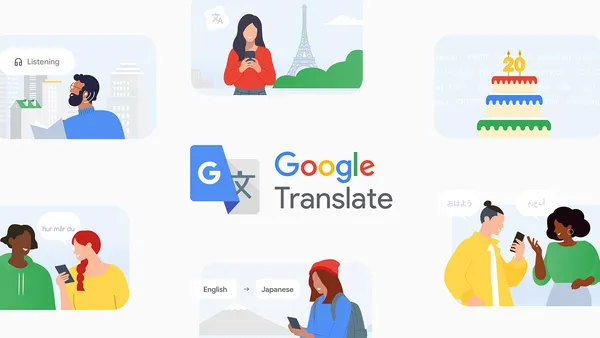

Google Translate turned 20 this week. Twenty years of mangling idioms, saving me in foreign train stations, and occasionally producing something that sounds like a lost Samuel Beckett play.
The company dropped a blog post with 20 “fun facts” to mark the occasion. Some of it is predictable corporate nostalgia, but buried in there are a few genuinely interesting numbers and a couple of new features worth checking out.
From party trick to utility
Translate launched in April 2006 as a “statistical machine translation” experiment. Back then it supported only Arabic, Chinese, French, German, Italian, Japanese, Korean, Portuguese, Russian, and Spanish. It was bad. The kind of bad where you’d laugh at the result and then go find a human.
But here’s the thing: it was still useful. Even broken translation is better than no translation when you’re staring at a menu in a language you don’t speak.
Today it covers nearly 250 languages. That’s up from about 130 five years ago. The expansion is partly driven by their massive multilingual model, which lets them add languages with limited training data. They’ve been adding everything from Sanskrit to regional dialects that have never had a decent digital presence.
One stat that jumped out: Translate now handles over 100 billion words per day. That’s roughly the entire text content of the Library of Congress every 24 hours. I don’t know whether to be impressed or horrified.
What’s actually new
The blog mentions a few recent additions worth trying if you haven’t touched the app lately:
- Context-aware translations for ambiguous words. This is long overdue. Translate has always struggled with words that have multiple meanings depending on context. “Bank” as in river bank vs. financial bank, that kind of thing. The new model apparently handles this better by looking at surrounding sentences. I tested it on a few tricky paragraphs and it did noticeably better than the old version.
- Improved handwriting recognition. This sounds niche, but if you’ve ever tried to draw Chinese characters on your phone screen you know how frustrating the old version was. The new model is more forgiving of sloppy strokes.
- Real-time conversation mode in more languages. They’ve expanded the two-way speech translation to cover more language pairs. Works reasonably well in quiet environments. Still falls apart in noisy cafes, but that’s a hardware problem more than software.
The stuff they didn’t say
The blog is predictably upbeat, but anyone who uses Translate regularly knows the pain points. Complex sentences still break. Poetry and song lyrics are a disaster. And the app’s insistence on translating everything by default when you’re browsing a foreign website can be annoying.
Also: Translate is great for getting the gist, but it’s terrible for nuance. If you’re relying on it for business negotiations or legal documents, you’re asking for trouble. I’ve seen translations that were technically correct but completely missed the tone or intent of the original.
A few tricks worth knowing
Since they’re celebrating, here are some Translate features that actually save me time:
- Tap to translate on Android. Just highlight text in any app and a floating Translate button appears. Works in messaging apps, browsers, whatever. Saves so many copy-paste cycles.
- Camera mode for menus and signs. Point your phone at text and it overlays the translation in augmented reality. It’s not perfect — small fonts and cursive scripts still confuse it — but it’s good enough for ordering food.
- Offline packs. Download languages before you travel. The quality drops slightly but it works without data. Saved me in subway tunnels more than once.
- The document upload feature. You can upload PDFs and Word docs for translation while preserving the layout. Handy for work emails in foreign languages.
What I’d like to see
Twenty years in, I’d love better handling of regional slang and cultural references. Translate still treats everything like formal language. If someone texts you in casual Spanish or French slang, the result is often nonsense.
Also: let me customize the formality level. Some languages have formal and informal “you” forms, and Translate often picks wrong. A simple toggle would fix this.
And please, for the love of god, stop translating brand names. I don’t need “Apple” translated into “Manzana” when I’m looking for a tech company.
The bottom line
Google Translate is still the best free option by a wide margin. DeepL is better for European languages, especially German to English, but Translate wins on breadth and integration. Microsoft Translator is fine but nobody uses it.
The 20-year milestone is genuinely impressive. This started as a research project that barely worked, and now it’s something I use daily without thinking. The new context-aware improvements are a step in the right direction.
Just don’t trust it with your love letters.
Comments (0)
Login Log in to comment.
Be the first to comment!