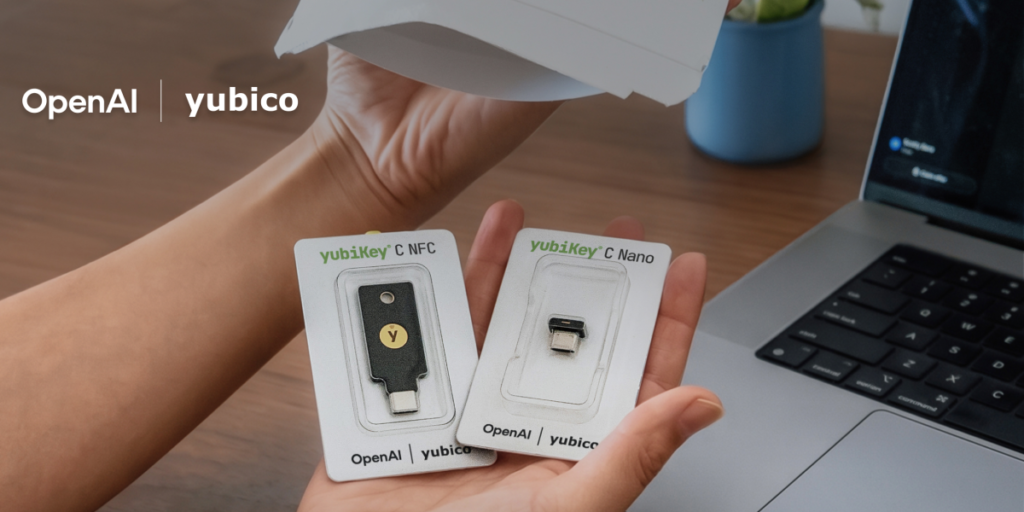

OpenAI finally decided to give ChatGPT accounts some real security teeth. They’re rolling out optional protections, and the headline grabber is a partnership with Yubico to support hardware security keys.
If you’ve been following the AI security circus, this is a welcome move. Yubico makes those little USB or NFC keys that are practically impossible to phish. For anyone handling sensitive data through ChatGPT — and let’s be real, plenty of people are pasting proprietary code or personal stuff in there — this is a serious upgrade over SMS codes or even TOTP authenticators.
But here’s the catch I can’t ignore: it’s opt-in. OpenAI isn’t forcing this on anyone. That means the vast majority of users will never enable it, and the accounts most likely to be compromised will remain wide open. I get it — forcing hardware keys on millions of casual users would be a support nightmare. But for a company that’s been burned by data leaks and account takeovers, this feels like a half-measure.
The Yubico partnership itself is solid. Yubico’s keys are the gold standard, and OpenAI is integrating them at the protocol level using FIDO2 and WebAuthn. That means no shared secrets, no server-side storage of credentials that can be stolen. When you plug in that key and tap it, the cryptographic handshake happens between your browser and the key itself. OpenAI never sees the private key. That’s the way security should work.
I’ve been using a YubiKey for my personal accounts for years, and the difference in peace of mind is night and day. No more worrying about SIM swaps or phishing links. If OpenAI had done this from the start, they’d have saved themselves a lot of bad press.
What’s not clear yet is pricing or availability. Yubico keys run anywhere from $25 to $70 depending on the model, and OpenAI hasn’t said if they’ll subsidize them for enterprise customers or offer any kind of discount. For a free ChatGPT user, dropping $50 on a security key just to protect a chatbot account feels like a tough sell. For business users on ChatGPT Enterprise or Team, it’s a no-brainer.
The timing is interesting. OpenAI has been under pressure from regulators in Europe and the US to tighten account security, especially after a few high-profile incidents where compromised ChatGPT accounts leaked internal company data. This move looks like a direct response to that pressure, not exactly a proactive security culture shift.
I’ll give them credit where it’s due: supporting hardware keys is technically demanding, and OpenAI’s engineering team had to build this into their authentication flow without breaking the existing login experience for non-key users. That’s not trivial. But I wish they’d gone further — maybe making it mandatory for any account that accesses the API or handles sensitive data.
For now, if you’re a ChatGPT power user or you use it for work, go enable this. It’s in the security settings under “Passkeys & Security Keys.” You’ll need a compatible Yubico key (or any FIDO2 key, actually — the partnership just means they’re officially recommending Yubico). It takes five minutes to set up, and it’s the single best thing you can do to lock down your account.
Will this stop the next big ChatGPT breach? Probably not by itself. But it raises the bar for attackers, and that’s a win. I just wish OpenAI had made this the default instead of an optional extra.
Comments (0)
Login Log in to comment.
Be the first to comment!