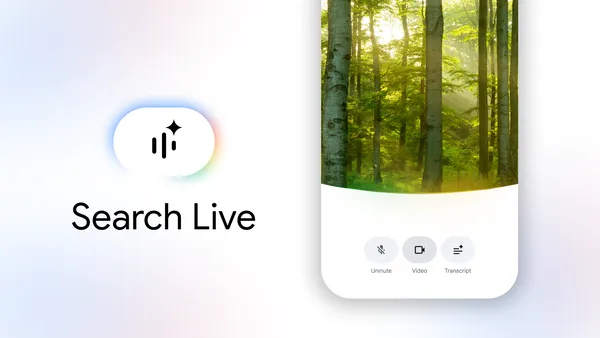

Google’s been pushing Search toward more natural interactions for a while now, and today they’re making a big move. Search Live, which lets you talk to Search or show it stuff through your camera, is rolling out globally.
Specifically, it’s now available in all languages and locations where AI Mode is already offered. That covers more than 200 countries and territories.
What’s new here
The big enabler is a new model called Gemini 3.1 Flash Live. This is an audio and voice model designed to handle natural, multilingual conversations. Google claims it makes the back-and-forth feel more intuitive. I haven’t tried it extensively yet, but the multilingual angle is interesting — you can speak in your preferred language and Search responds in kind.
If you’ve used AI Mode before, the Live feature is essentially an interactive overlay. Tap the Live icon under the Search bar in the Google app (Android or iOS), and you can ask a question out loud. Search gives you an audio response, and you can keep the conversation going with follow-ups. It also surfaces web links if you want to dive deeper.

The camera integration is where this gets practical. Point your phone at something — say, a shelving unit you’re trying to assemble — and Search can see what you’re seeing. It then offers suggestions and links. This isn’t entirely new territory; Google Lens has been doing visual search for years. But adding a real-time conversational layer on top is a meaningful step.
You can also trigger Search Live directly from Google Lens. If you’re already using Lens to look at something, there’s a Live option at the bottom of the screen. Tap it, and you get a back-and-forth conversation about what’s in front of you.
What this means in practice
Voice search has been around forever, but it’s always felt a bit stiff. You ask a question, get a result, and that’s it. The conversational loop here is different. You can ask a follow-up without rephrasing everything. “What’s this plant?” followed by “Is it poisonous to cats?” works naturally.
The global expansion matters too. Google’s been rolling out AI Mode gradually, and this brings the Live component to all those regions at once. If you’re in a country where AI Mode was already live, you should see the Live icon now.
One thing I’m curious about is how well the multilingual model handles code-switching or less common dialects. Google says it’s inherently multilingual, but real-world usage always reveals edge cases.
The catch
This is Google, so expect the usual caveats. The audio responses are generated by AI, and the company notes that generative AI is experimental. I’ve seen some odd responses in other AI Mode interactions, so I wouldn’t rely on this for anything critical without double-checking.
Also, this requires the Google app and an internet connection. No offline mode here. And while Google says it’s available in over 200 countries, actual performance will depend on local network conditions and language support.
Still, this is a genuinely useful feature for those moments when typing feels awkward or impossible. Cooking, fixing something, identifying a plant — the camera+voice combo makes sense for hands-busy scenarios.
I’m curious to see how people actually use this once the novelty wears off. Voice interfaces have a history of being overhyped and underused. But the camera integration might be the hook that makes it stick.
Comments (0)
Login Log in to comment.
Be the first to comment!